Our casino runs directly in the browser on your Android phone or iPhone. Log in with your existing account to access your games, bonuses and the cashier. Add an icon to your home screen to open Vipsta directly next time.
You don't need to download a separate app to play on your phone. Opening the casino in your browser or through a home screen icon takes you to the same site. You'll need an internet connection for games, login and payments. You can use your existing account on your phone without creating another one.
Add Vipsta to your Android home screen
You can use Chrome to add a shortcut to your home screen. Menu labels may vary slightly depending on your browser version.
Open our casino in Chrome on your Android device.
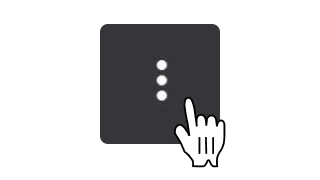
Open the three-dot menu next to the address bar and select «Add to Home screen». Depending on your version, you may find the option under «Install app» or «Create shortcut».
You can name the shortcut «Vipsta». Tap «Add» to confirm.
Use the new icon to open the casino. If your session has expired, log in again.
You don't need an APK file or permission to install apps from unknown sources to use this shortcut.
Add Vipsta to your iPhone or iPad home screen
In Safari, you can add Vipsta to your home screen. You don't need to download anything from the App Store.
Open our casino in Safari on your iPhone or iPad.
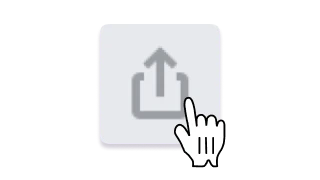
Open the page menu to find «Share». Depending on your Safari layout, the Share button may already be visible.
Select «Add to Home Screen» from the list. If you can't see it, you can add it through «Edit Actions».
Enter «Vipsta» as the name and tap «Add». If «Open as Web App» is available, you can enable it to open the casino in its own window.
Use the icon to open our casino. If your session has expired, log in again.
Your account and cashier on mobile
Log in with your existing account
Use the same email address and password as on your computer. You can also access your balance and active bonuses on your phone. If you've forgotten your password, you can reset it using the password recovery option on the login page.
Use the cashier to deposit funds or request a withdrawal. The methods and amounts available depend on your account. If we need verification documents, upload them through your profile.
The same bonus terms apply whether you play on your phone or computer. These include wagering requirements, time limits, maximum bets and any withdrawal caps. Adding a home screen icon does not activate an extra bonus.
Play slots, Megaways and instant games, or join a live table. Roulette, blackjack and game shows run in your mobile browser. Available games may vary by device and country.
A stable connection is especially important for live video and ongoing rounds. Whether a game works better in portrait or landscape mode depends on the title. You'll find the rules and betting limits in each game's help section.
You can still open our casino directly in your browser. If you can't find the option to add it to your home screen, try an up-to-date version of Chrome or Safari. Some menu options may not be available in browsers opened inside another app. You can remove an outdated shortcut and create a new one from the current casino site.
You can't log in
Common causes include an old password saved in your browser, a typing error or an expired session. If you've forgotten your password, reset it using your registered email address. Creating a new shortcut won't unblock a suspended account; contact Support for help.
A game won't load or the connection drops
If a game won't load, updating your browser or using a more stable connection may help. When contacting us, include the game name, your device, browser and approximate time of the issue. You can reach us through live chat or at [email protected]. We won't need your password.
Vipsta App FAQs
Do I need to download a Vipsta app?
You don't need a separate download to play on mobile. Open our casino in your browser and, if you like, add an icon to your home screen. You'll still need an internet connection when using the icon.
Do I need an APK for Android?
No. You don't need an APK file to access the casino through your browser or add a home screen shortcut. You can open Vipsta directly in Chrome.
How do I add Vipsta to my iPhone home screen?
Open our casino in Safari, tap «Share» and select «Add to Home Screen». Tap «Add» to save the icon. Depending on your Safari layout, you'll find «Share» in the page menu or directly on the toolbar.
Can I use my desktop account on my phone?
Yes. Log in with the same details. You can access your balance and active bonuses on your phone too. There's no need to create another account.
Can I play offline using the shortcut?
No. The icon opens the mobile casino. You'll need an internet connection to log in, play games and use the cashier.
Will I get a bonus for adding Vipsta to my home screen?
Adding a home screen icon doesn't activate a bonus. Your available offers are subject to their own activation rules and bonus terms, whether you play on your phone or computer.
Open Vipsta on your smartphone
Access your account, games and the cashier directly in your mobile browser. For players aged 18 or over only. Winnings are not guaranteed.
We do not use analytics or advertising cookies. Your choice is saved on this device. You can change it at any time in «Cookie settings».